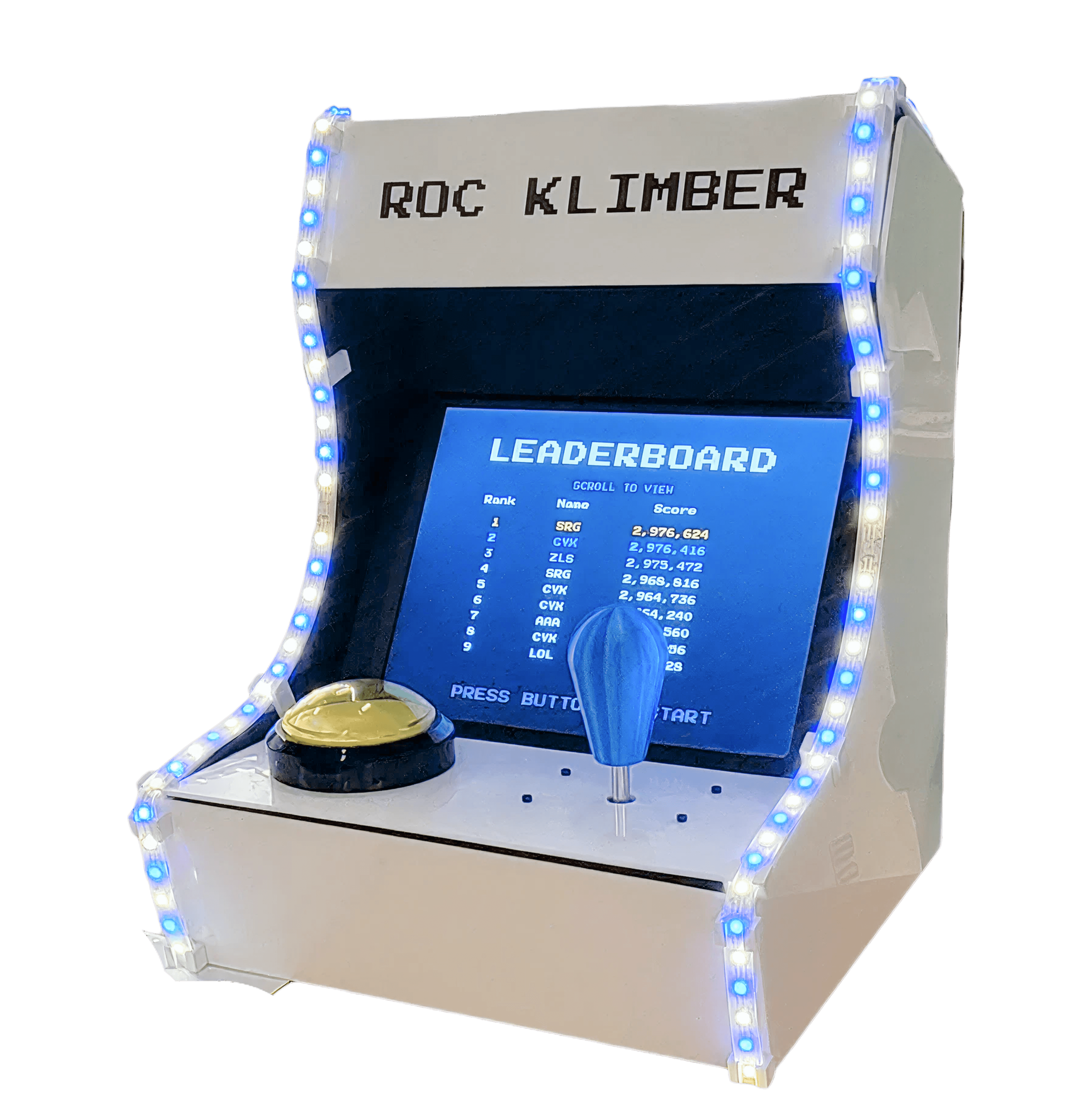
Creating a custom arcade installation for the Pitt brand
“Roc Klimber” is an interactive arcade installation created for the University of Pittsburgh’s Hillman Library. The project was initiated to address negative student reception to the library’s recent renovation, reframing the space through a playful, interactive experience. I led design and development in collaboration with an embedded software engineer.
TIMELINE
ROLE
Team
1 embedded software engineer
Skills
Storyboarding
PROBLEM
Mixed community response following a major renovation
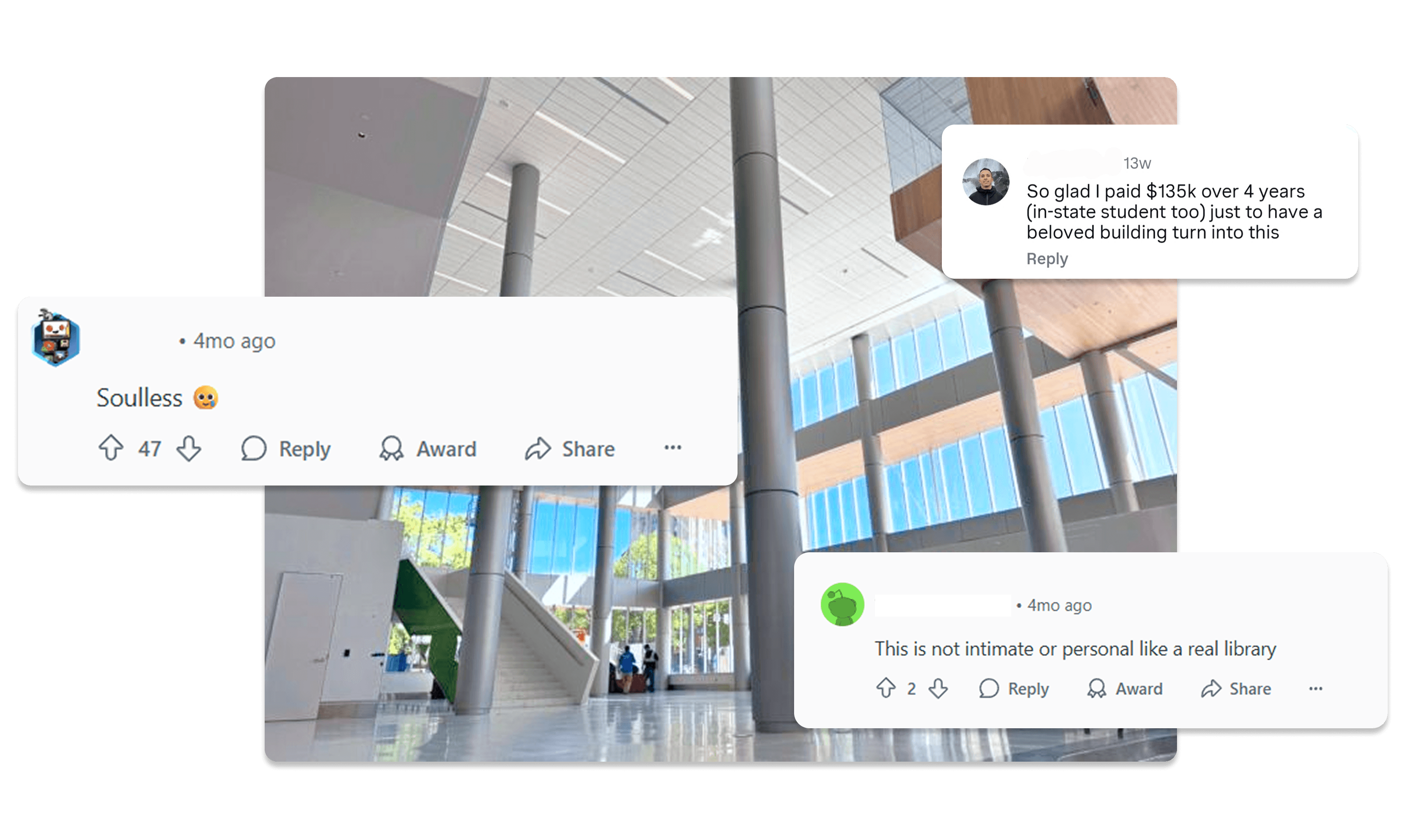
How might we…
Introduce a simple, approachable interaction that adds warmth and character to a renovated library space?
Express the University of Pittsburgh's identity in a way that feels familiar and inviting to students?
SOLUTION
A custom installation designed to reflect Pitt’s identity through play
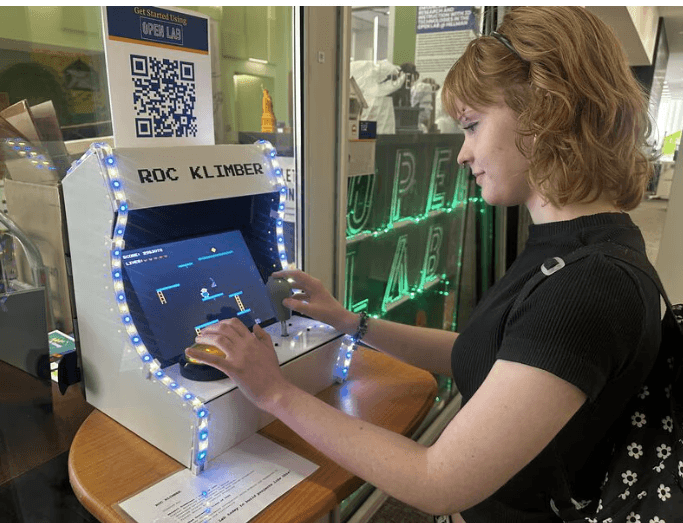
The solution was a custom arcade installation placed within the library to create a visible, approachable point of interaction. Designed for quick, low-effort play, the experience encouraged short engagements that added personality and activity to the space.
Physical hardware designed for approachability
The cabinet and LEDs were designed to be immediately noticeable in a busy environment. Simple inputs and short play sessions lowered the barrier to participation.


Familiar mascot for instant context
Using Roc, the university mascot, provided immediate recognition without explanation. Pixel art animation reinforced a playful tone while keeping visuals lightweight.
Leaderboard to encourage repeat engagement
A visible leaderboard encouraged replay and casual competition. This gave users a reason to return and engage multiple times.
IMPACT
1,000+ engagements and positive community reception
The installation sees daily active usage and was featured on the library’s display wall, generating in-person interest from students, faculty, and the general public. Engagement numbers are likely higher, as the leaderboard only records completed play sessions.
This response indicated a more positive, participatory experience within a space that had previously drawn mixed reactions.

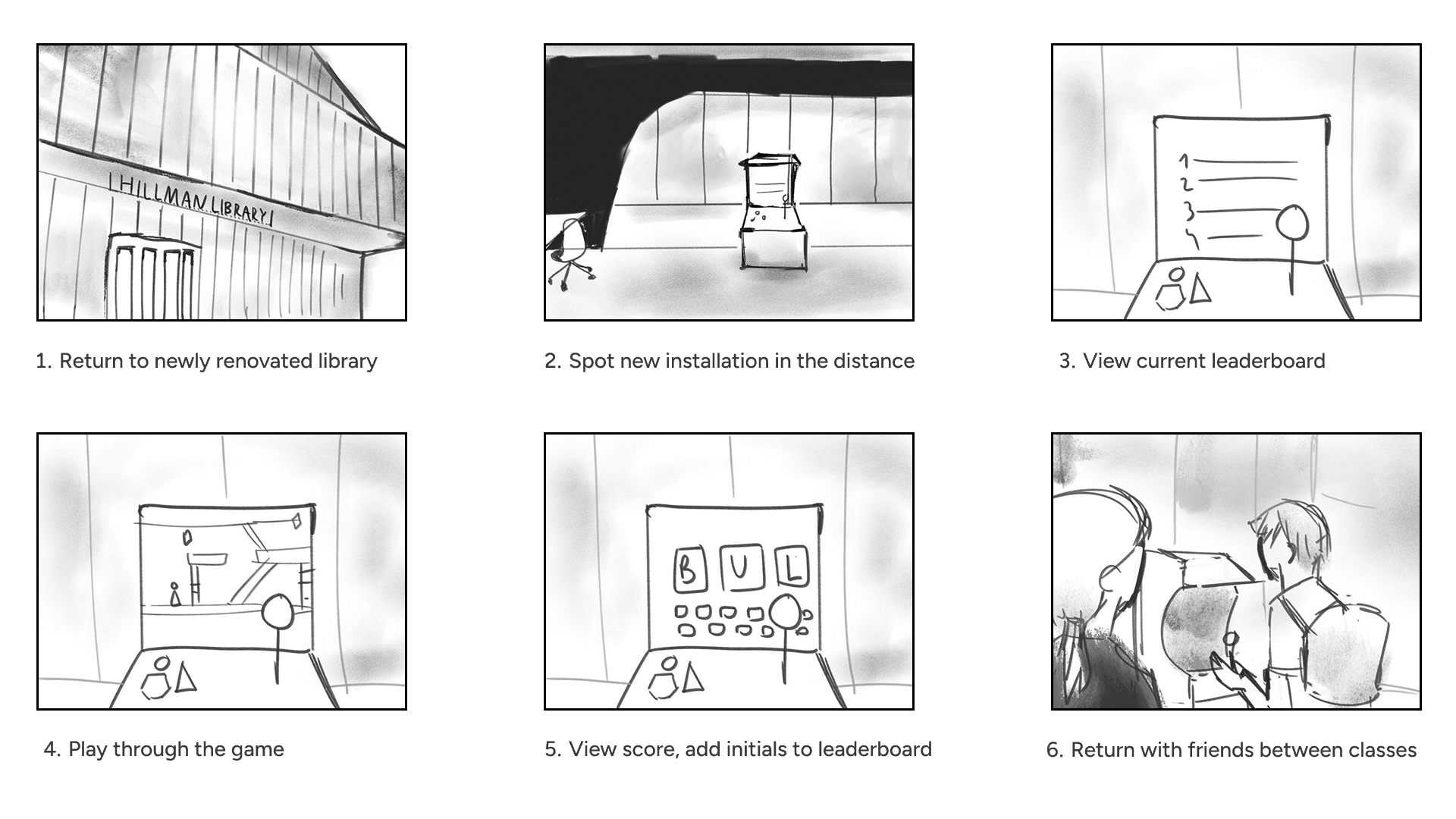
STORYBOARDING AND FLOWS
Visualizing the student experience
To explore how students might encounter and engage with the installation between classes, I created a simple storyboard that mapped the experience from first sight to repeat interaction.
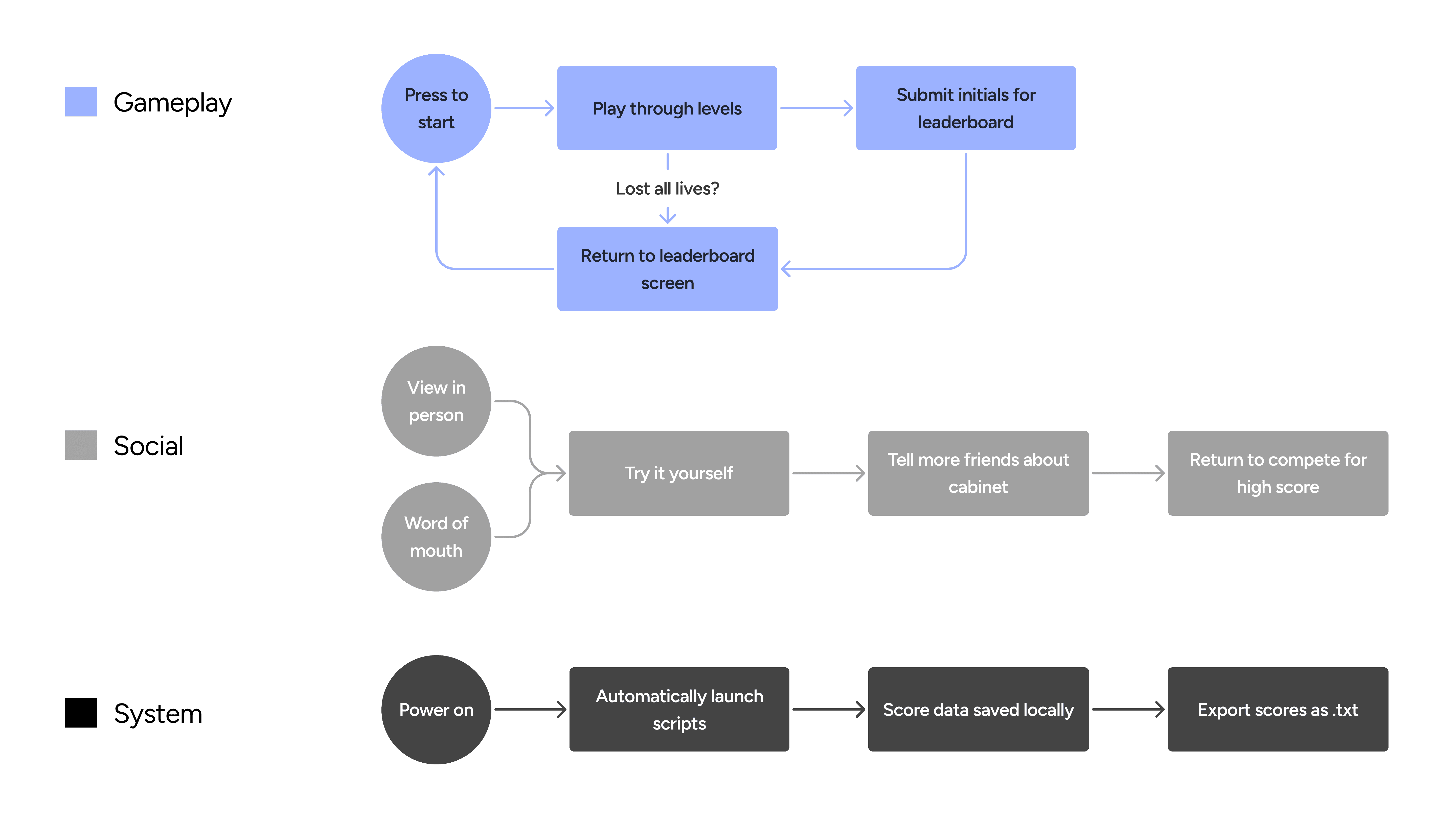
Designing for gameplay, social use, and longevity
The project was designed as a connected system rather than a standalone game. I mapped gameplay, social interaction, and technical maintenance flows to ensure the installation could attract participation, encourage repeat use, and remain operational over time.
AI-ASSISTED WORKFLOW
Using AI to support rapid iteration while building the game
I used a multi-tool workflow to explore ideas quickly and iterate on gameplay and interaction patterns. AI-supported prototyping helped test variations and reduce time spent on implementation details, allowing me to focus on design intent and interaction quality.
Design in Figma
Explored level layouts and positioning
Prototype with Claude
Rapidly explored gameplay concepts
Develop in VSCode with React
Built and refined the final experience
HARDWARE INTEGRATION
Bridging design and hardware
The cabinet was fabricated in the library’s makerspace and integrated with custom controls. The game was deployed on a Raspberry Pi and configured with automated startup and maintenance scripts to support a reliable, self-contained experience in a public setting.
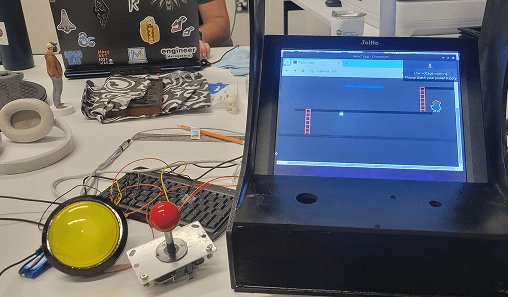
Initial prototype with Raspberry Pi and Arduino
REFLECTION
Translating brand into a physical interactive experience
Designing for public use emphasized the importance of approachability, durability, and quick comprehension.
Treating the installation as a system, not just a game, supported repeat engagement and long-term reliability.
Integrating brand cues through visuals proved more effective than explicit messaging.
Wishes
With more time, I would collect user data with a more robust system than a local leaderboard.