
Designing CRM tools for merchants selling across marketplaces
OmniSynkAI was an AI powered e commerce platform for small businesses managing customer and order data across multiple marketplaces This case study covers the design of core merchant CRM workflows and UI patterns, developed in collaboration with product and engineering partners.
TIMELINE
May — August 2024
4 months
ROLE
Product Design Intern
Team
3 Designers
2 Developers
Skills
Competitive Analysis
User Flows
Design Systems
Prototyping
CONTEXT
89% of small businesses
sell across multiple channels like Etsy, eBay, and Amazon to maximize reach.
OmniSynkAI aimed to unify activity across multiple sales platforms by syncing customer and order data into a single dashboard. Within the broader product, CRM workflows were a defined area of focus, supporting how sellers managed customer information and communication across channels.
My role
Owned the design of CRM workflows including customer segmentation, profiles, and data import.
Additionally, designed creation workflows such as an email campaign builder and product mockup tools in collaboration with product and engineering partners.
OPPORTUNITY
How can we help small businesses manage customers across sales channels without adding operational friction?
Design constraint
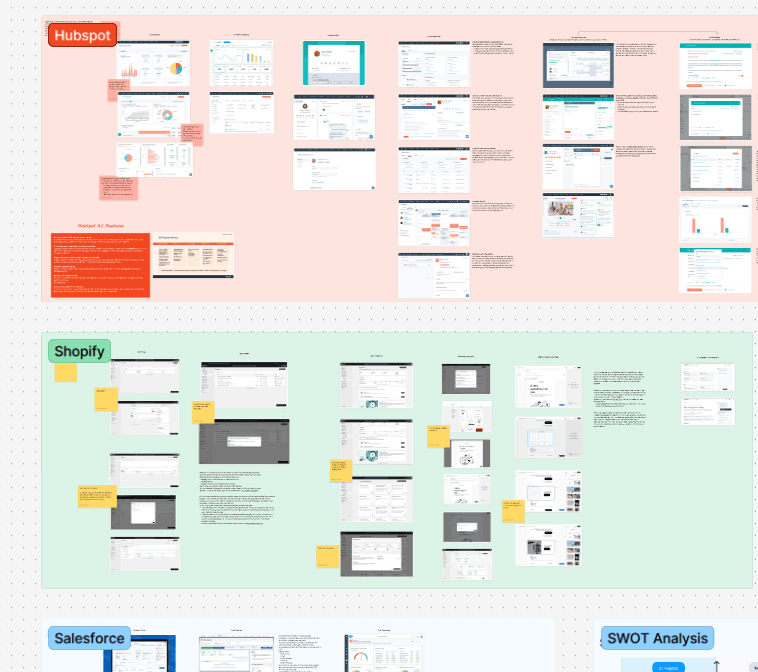
With limited access to end users, I relied on competitive analysis to understand how existing CRM tools handle multi-channel communication and where they balance automation, customization, and usability.
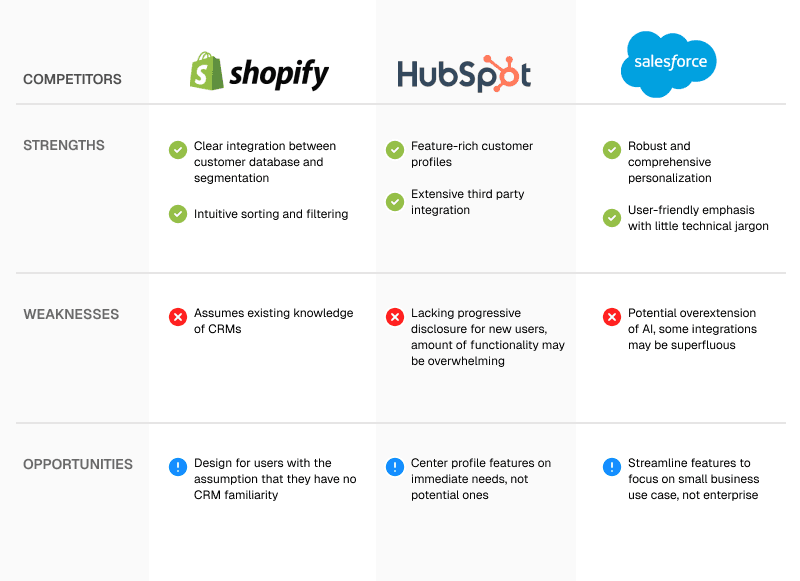
Two ways for OmniSynkAI to differentiate
Competitive analysis revealed a consistent tradeoff in existing CRMs: automation without flexibility, or customization at the cost of speed and usability. For small businesses managing customers across channels, this friction compounds quickly.
01
Reduce context switching
Core CRM tasks required jumping between dense views and disconnected timelines, increasing cognitive load while managing cross-channel communication.
02
Lower complexity of targeted outreach
Personalized outreach required complex configuration, limiting small businesses’ ability to use segmentation and customization consistently.
SOLUTION
Centralizing customer data to enable efficient, flexible outreach
These workflows were designed to reduce repetitive communication tasks while supporting targeted, flexible outreach across channels.
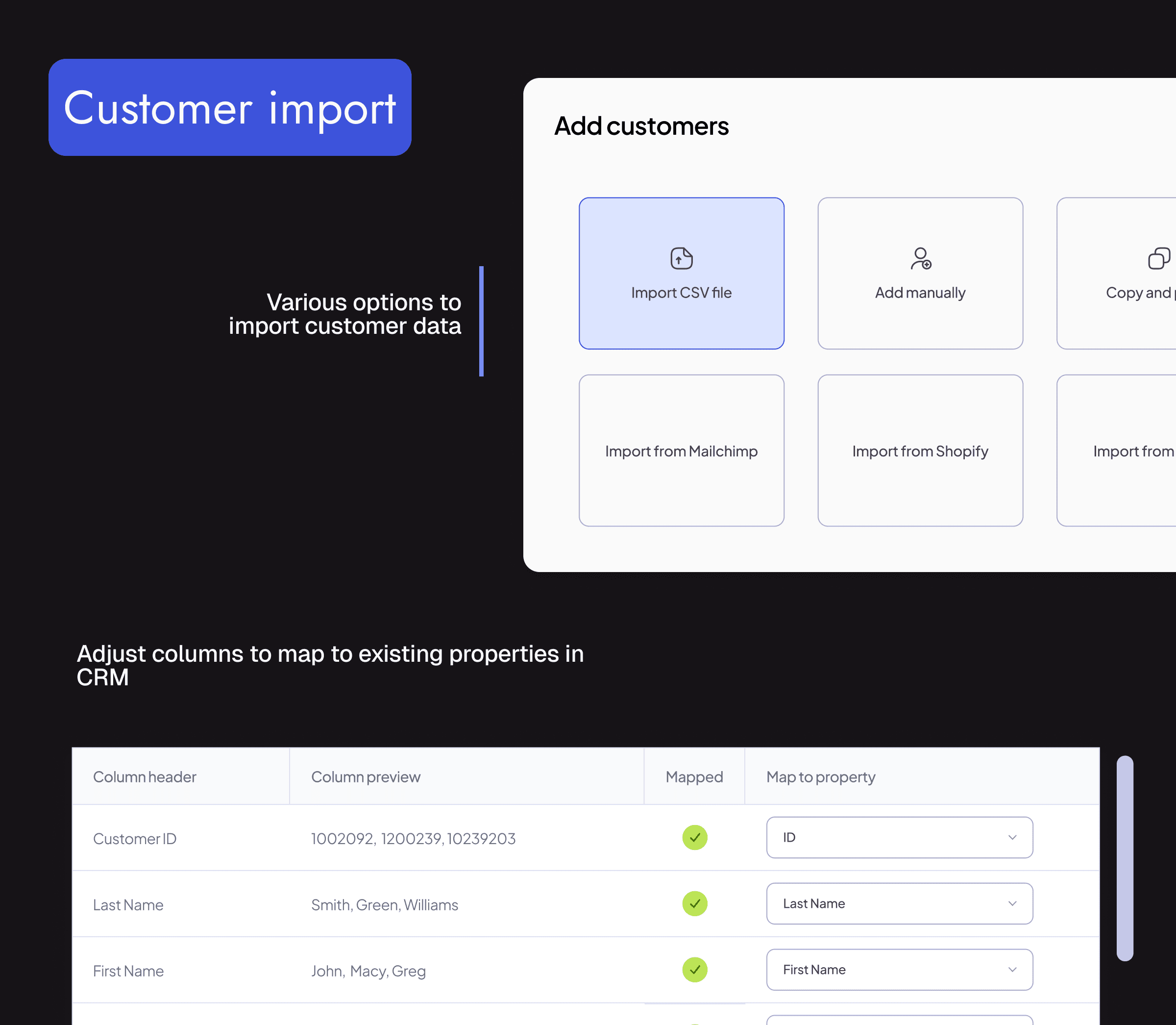
Import and unify customer data
Bring in customers from CSV uploads or connected integrations, and map fields into a view.
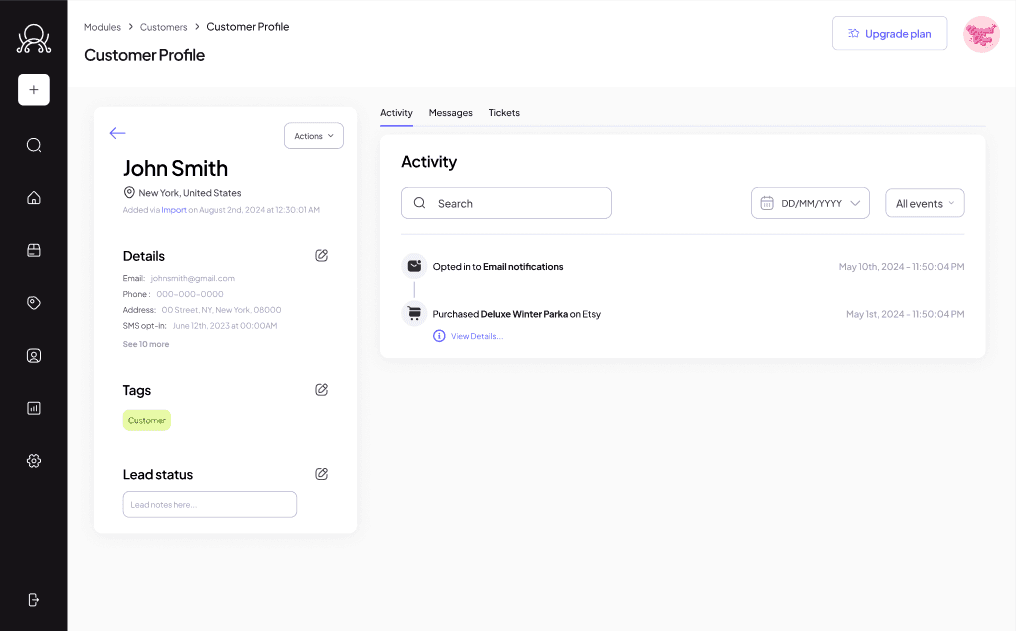
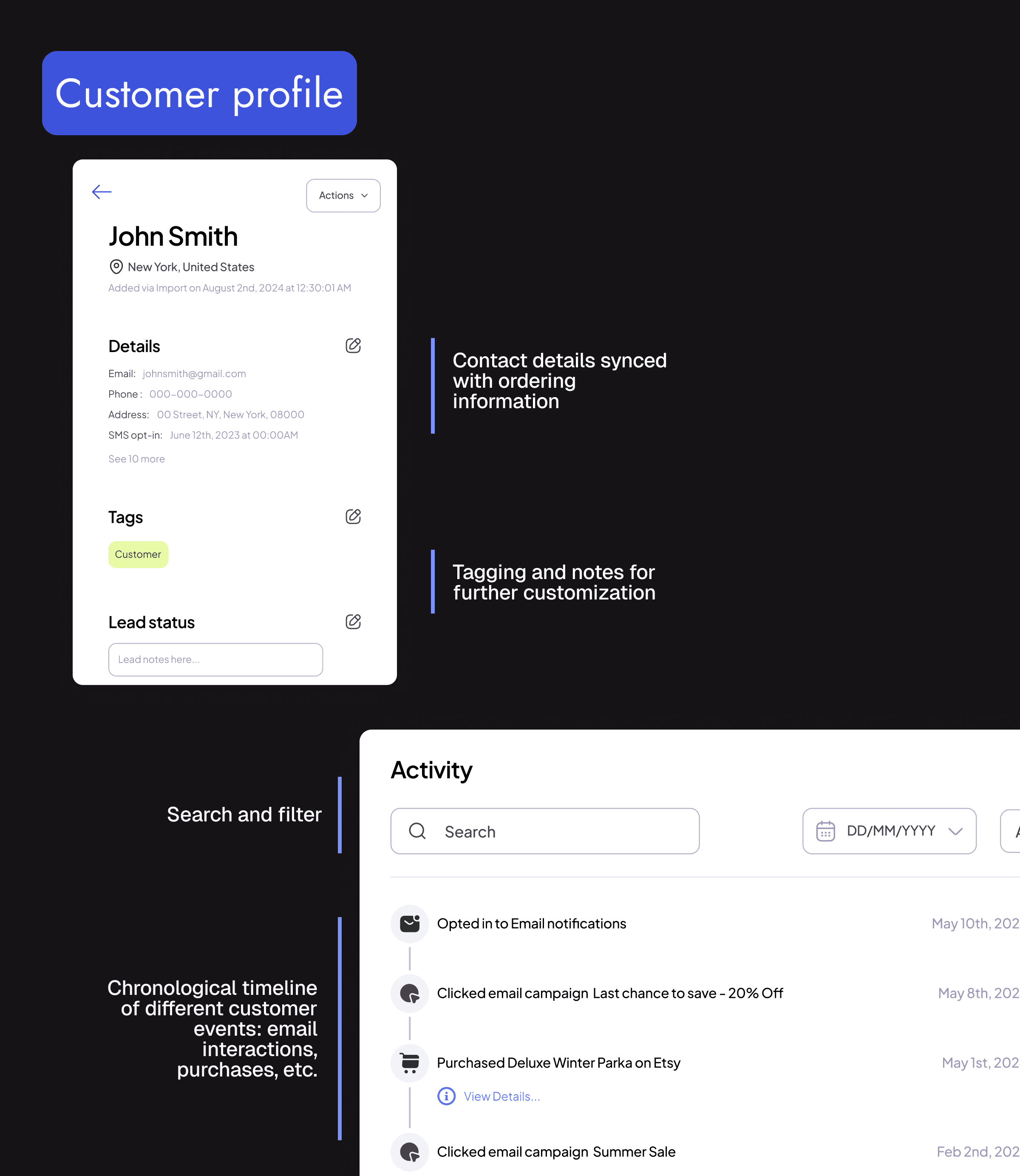
Customer profiles for quick context
Surface key customer details to reduce context switching during customer communication.
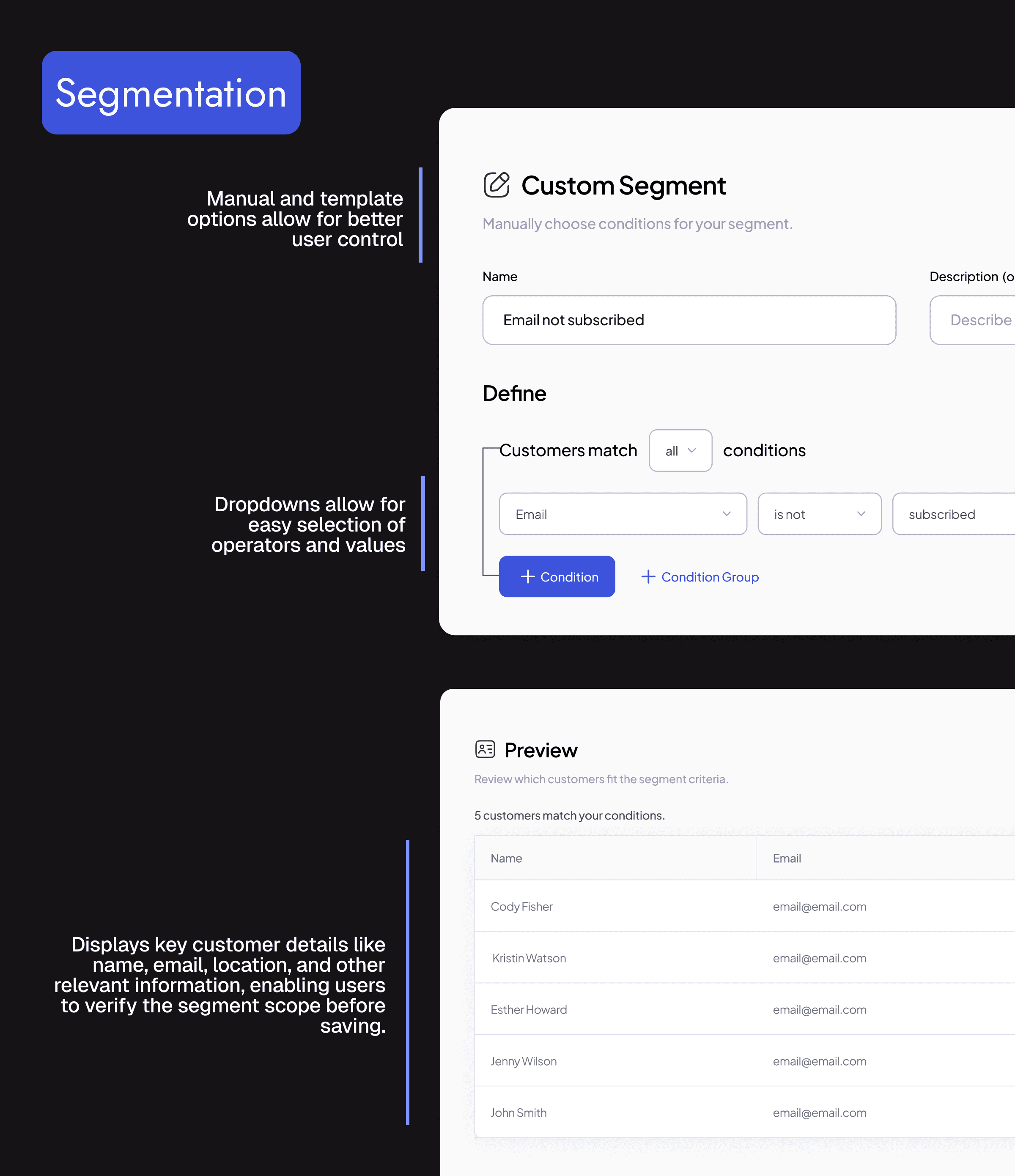
Segmentation for targeted outreach
Group customers by shared attributes or behavior to support more relevant campaigns and growth efforts.
DESIGN PROCESS
Translating opportunities into user flows
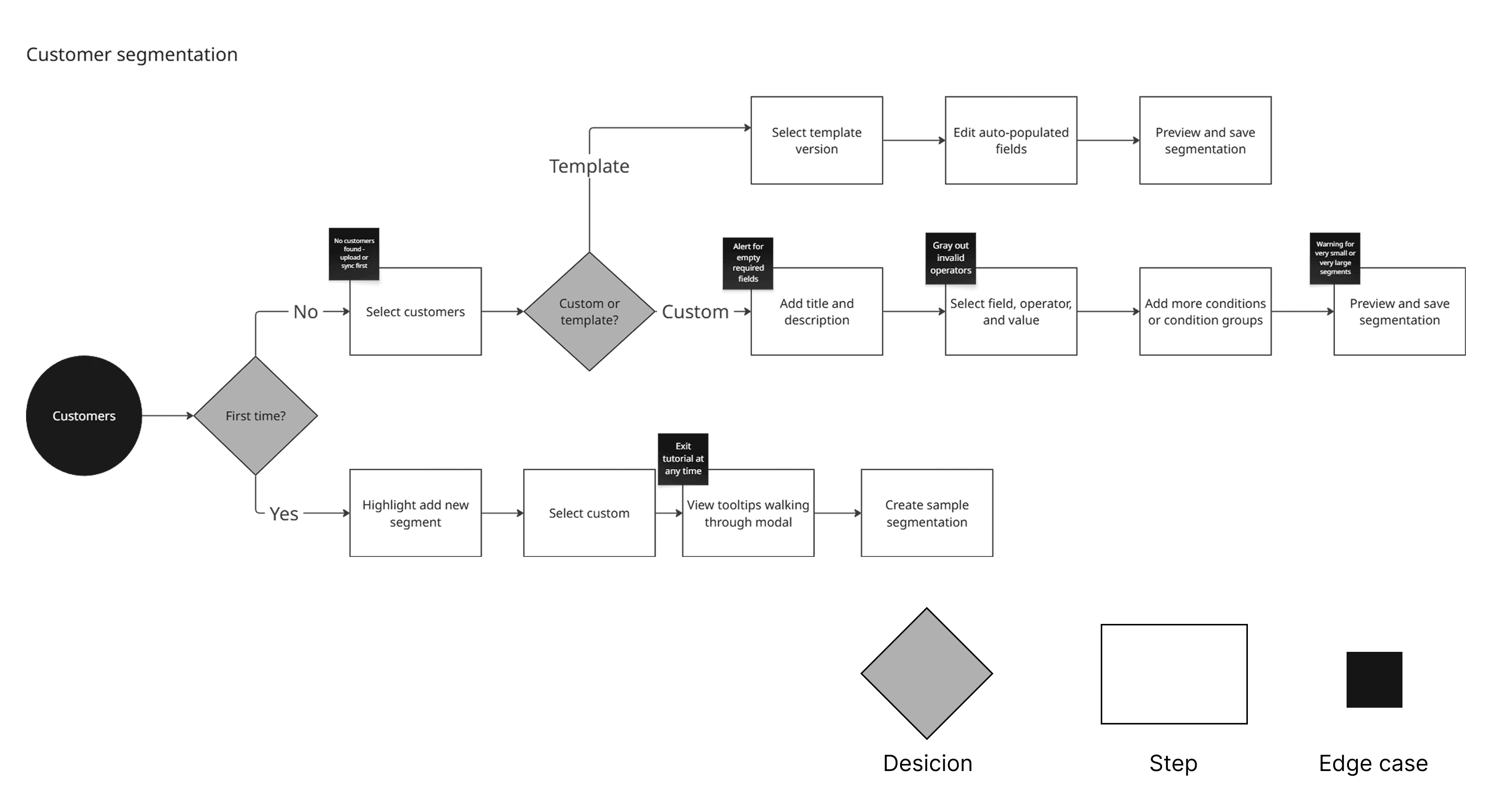
To address the identified opportunities, I mapped user flows across customer segmentation, profile creation, campaign building, and data import. This revealed where branching paths occured and informed which screens had edge cases to consider.
Rapid iteration and protoyping
My design process was intentionally structured to support fast iteration in an evolving product space, allowing design decisions to be made quickly, revisited often, and adjusted as requirements and constraints became clearer.
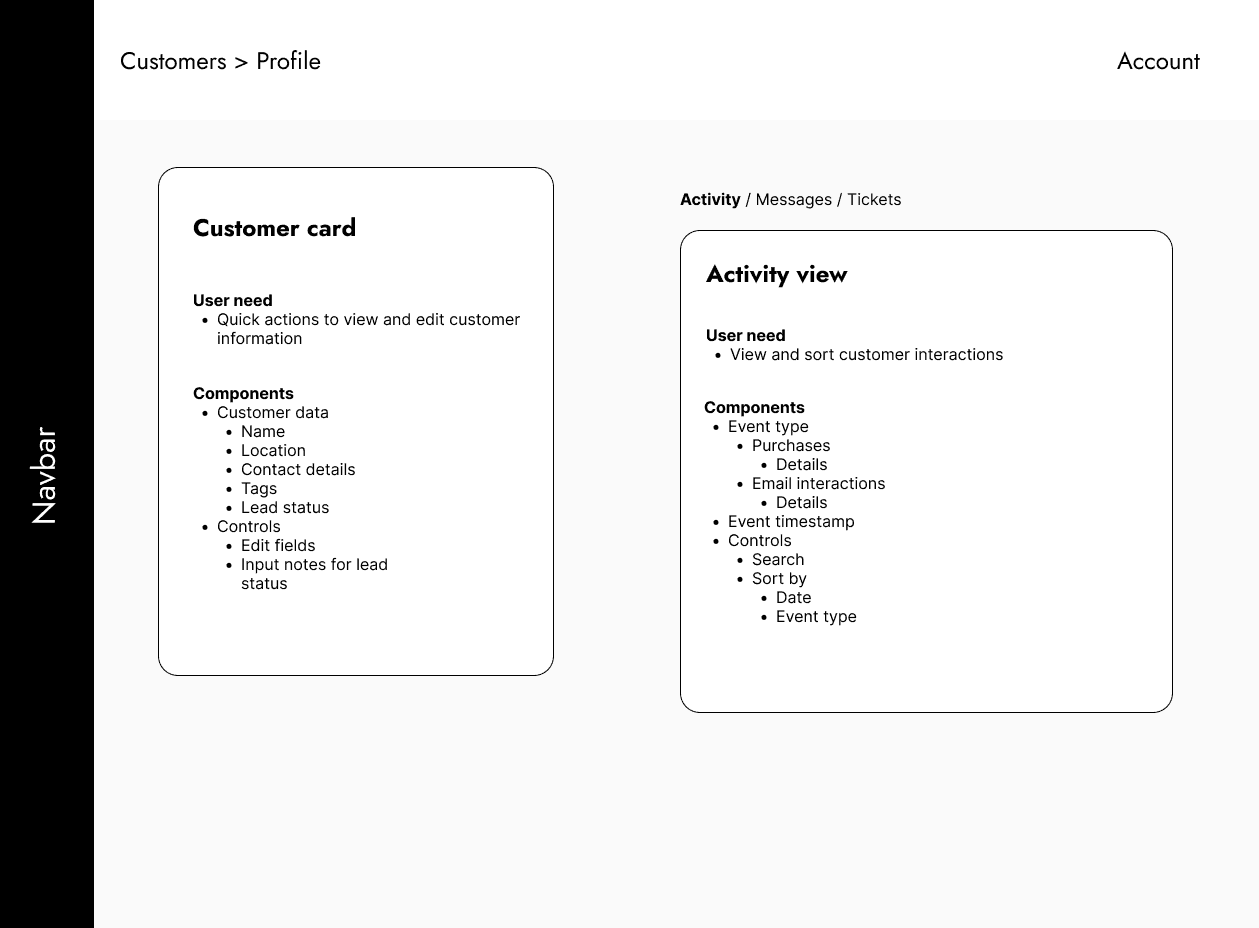
Zone mapping
To quickly translate PRDs, I mapped out user needs, content data, and actions/affordances within containers.
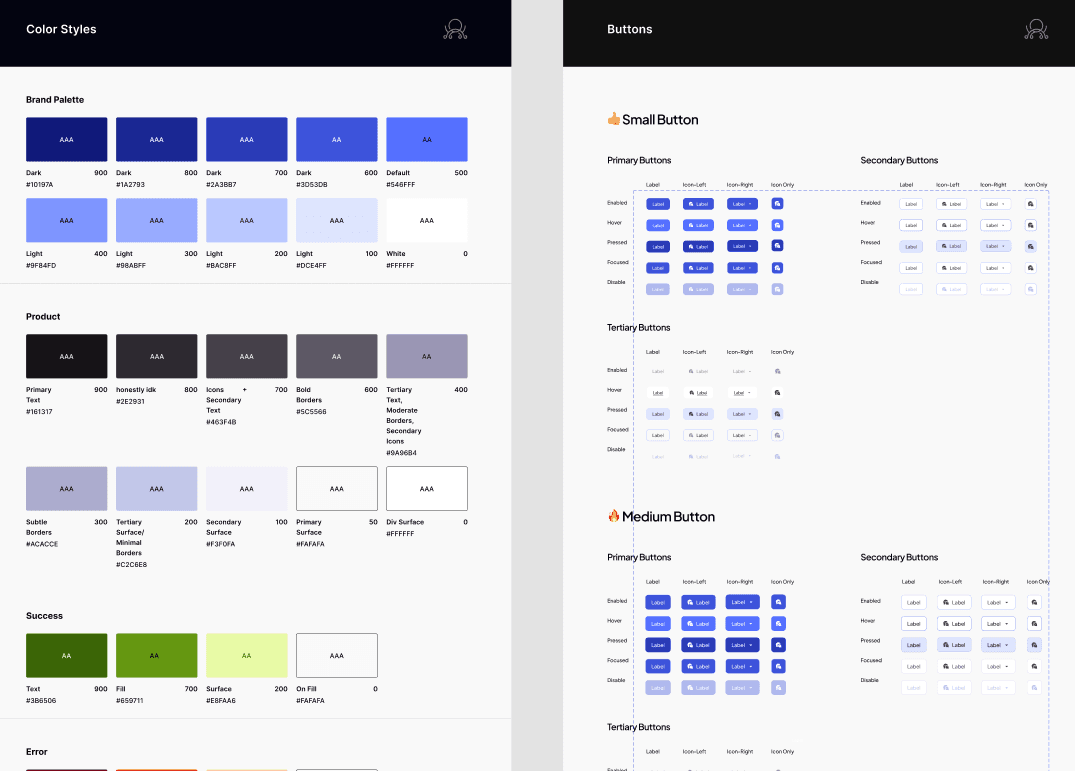
Apply and extend design system
I worked within established tokens, components, and patterns to maintain consistency across designs.
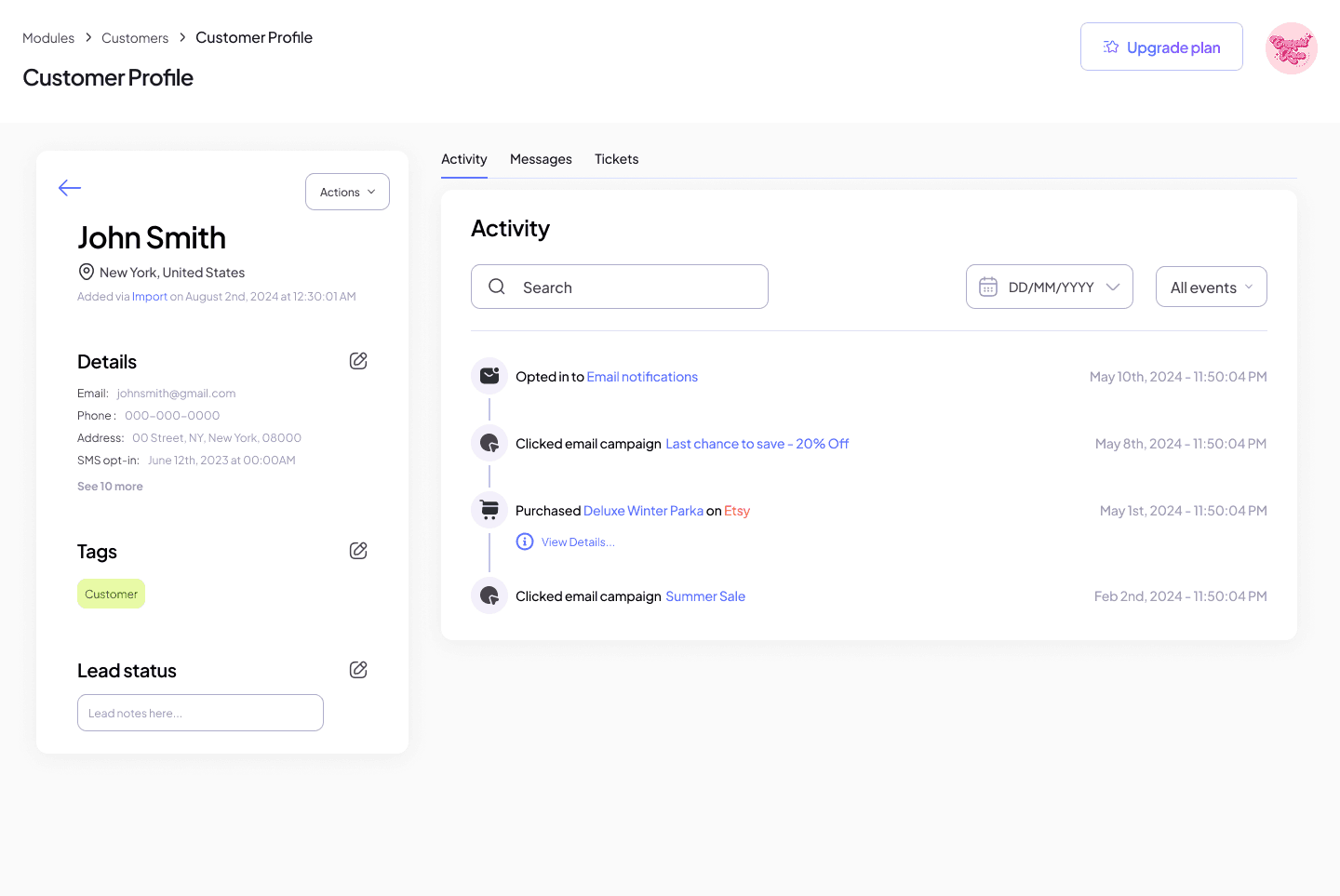
High fidelity mockup
The systems-driven approach allowed me to quickly create high-fidelity mockups for review.
Iterate through cross-functional feedback
I received weekly feedback from PMs, design leads, and engineers for better alignment across the product suite.
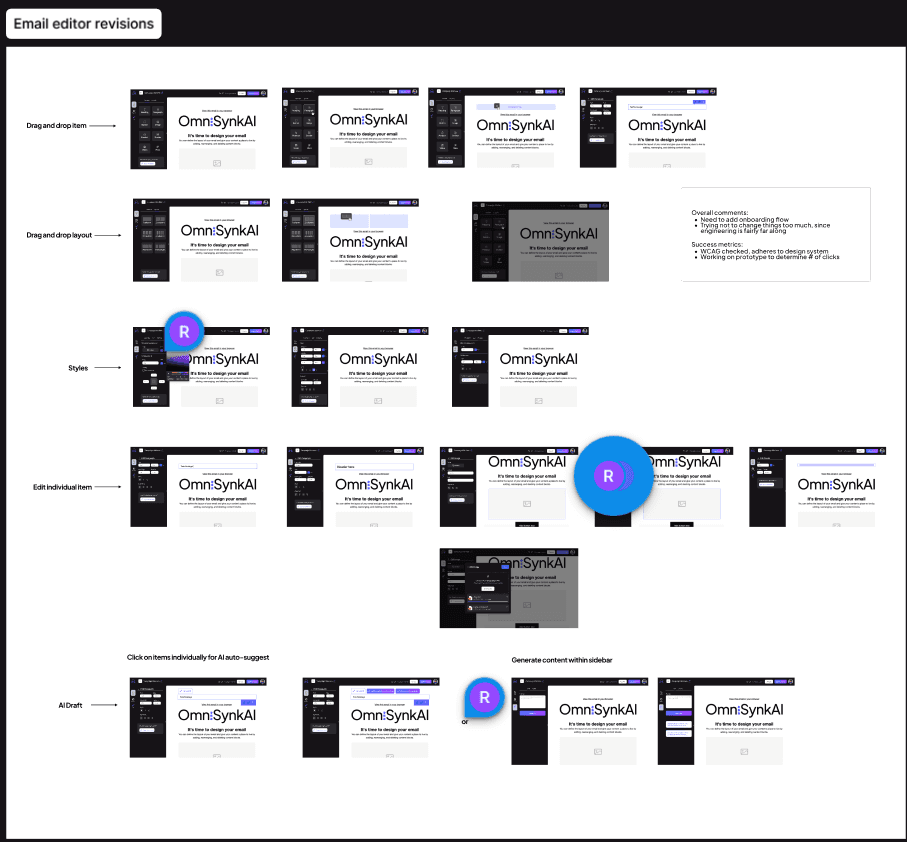
In practice, these weekly reviews translated into targeted UI refinements, like reworking the segmentation flow to take up less space while keeping context intact. These discussions helped connect design intent with usability concerns and system constraints before changes were carried forward.
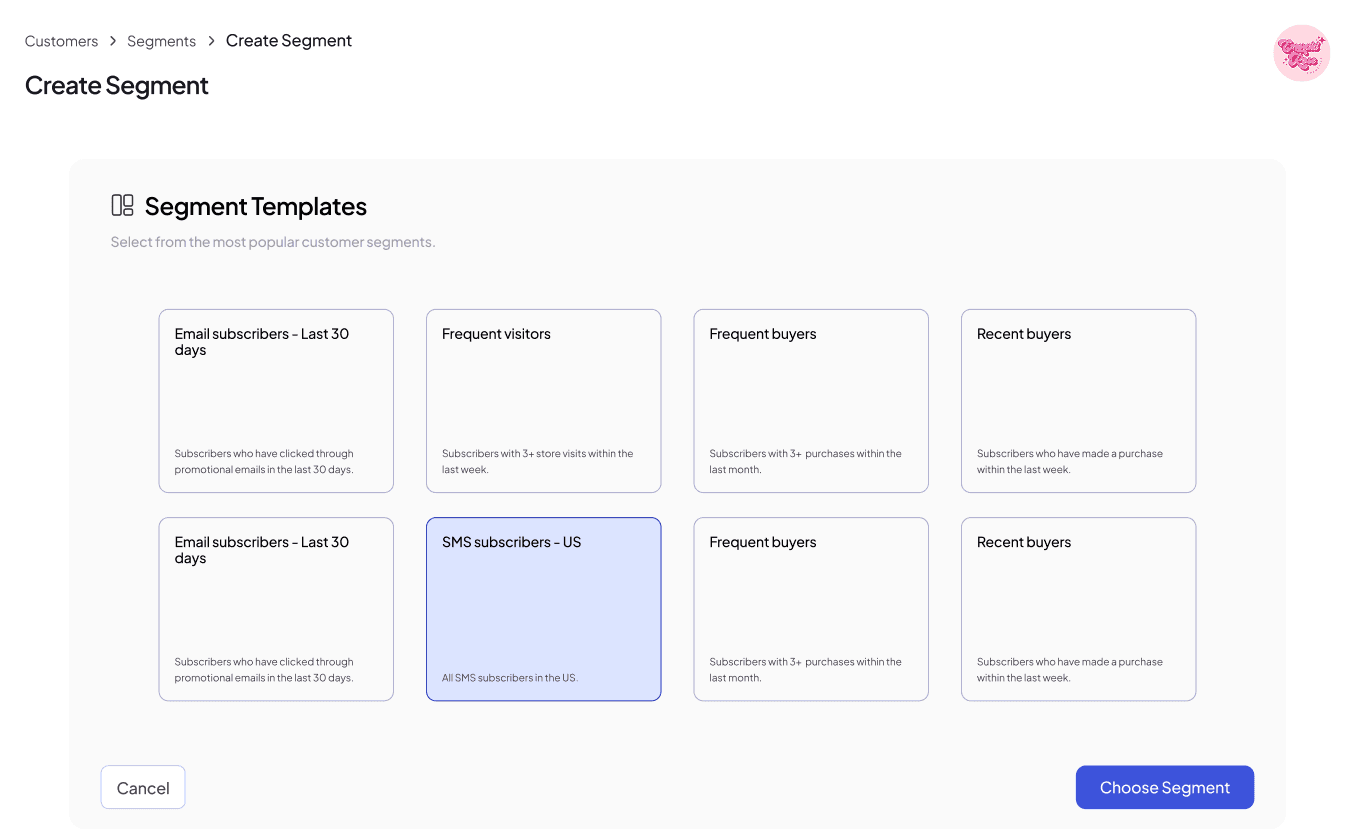
v0
Full-screen workflow
My initial design made sequential workflows take up the full page, as I wanted to make context clear.
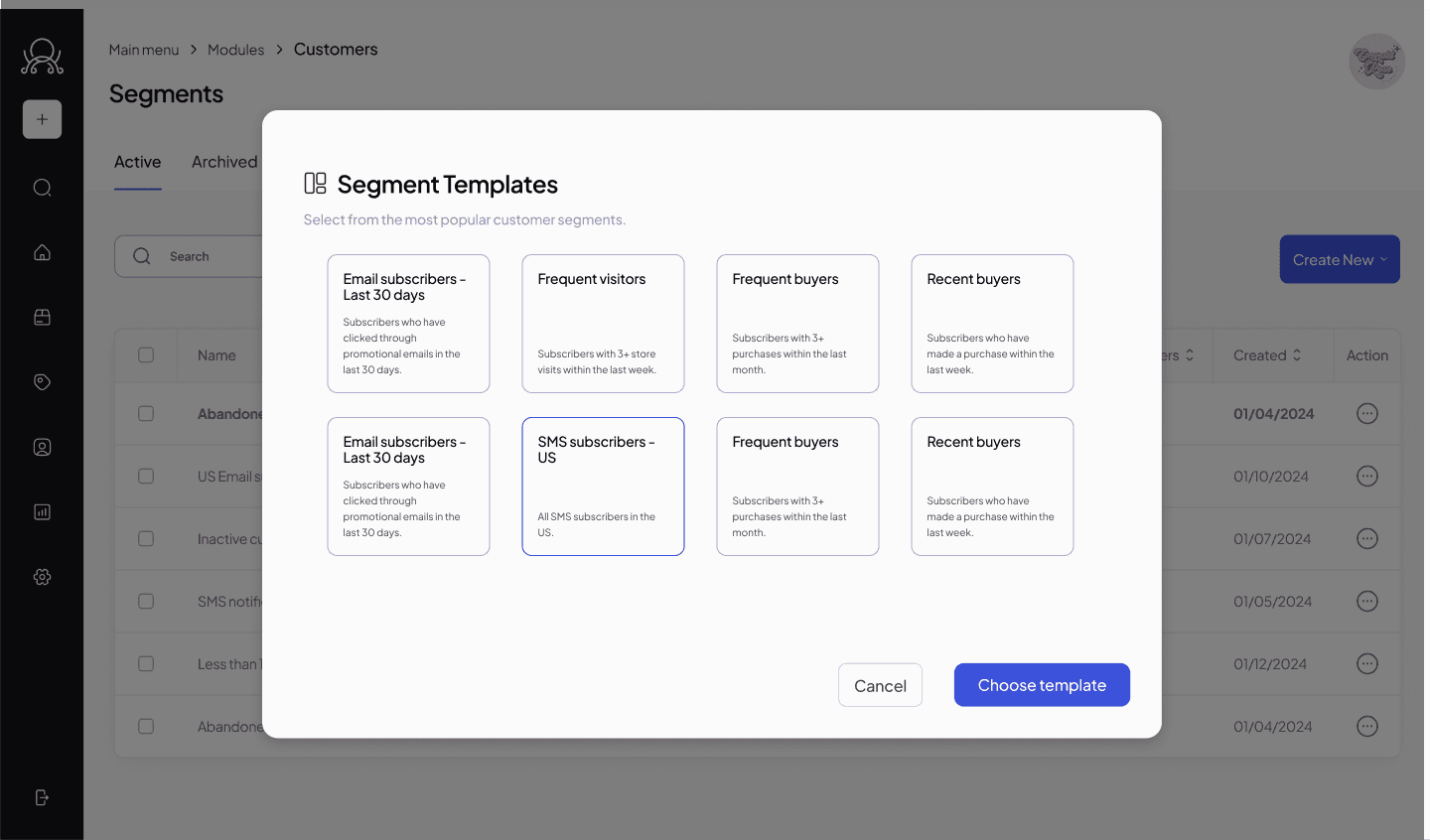
v1
Modal workflow
However, using a modal would retain context while being designed around the content.
Design desicions
ADDITIONAL CONTRIBUTIONS
Designing an email campaign editor
Defined the email campaign editor, working with design leadership to clarify how text, image, and template editing behaviors were separated within a single interface.
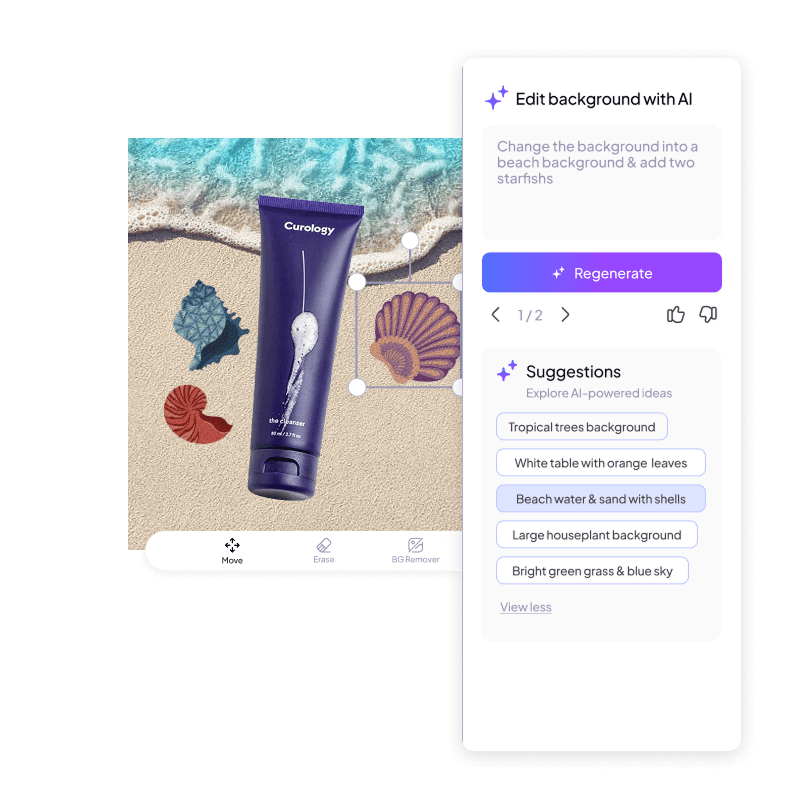
Exploring generative AI for a product mockup studio
I was asked to contribute to the product design studio, exploring generative AI features to support faster visual iteration within existing workflows.
REFLECTION
Designing within an evolving product scope
Focusing on reusable patterns and workflows helped ensure the work remained valuable even as product priorities and requirements shifted over time, reducing rework while supporting multiple use cases.
Close collaboration with product and engineering partners shaped earlier, more realistic decisions around workflow scope, system constraints, and technical feasibility, allowing design to move forward in parallel rather than reactively.
Wishes
With more time, I would validate end-to-end CRM workflows with small business users, from data import and customer profiles through segmentation and outreach. Testing would focus on context switching, decision confidence, and where key information is needed across tasks, informing refinements to structure and defaults.

"I wholeheartedly recommend Abby for any role that demands a user-centric approach and a strong sense of ownership. She's a valuable asset to any team and will undoubtedly excel in her future endeavors."
JORDYN HARRISON, DESIGN LEAD (CURRENTLY @GOOGLE)